See llms.txt for all machine-readable content.

Gmail and Planyo Online Booking integration

Save yourself the work of writing custom integrations for Gmail and Planyo Online Booking and use n8n instead. Build adaptable and scalable Communication, HITL, workflows that work with your technology stack. All within a building experience you will love.

How to connect Gmail and Planyo Online Booking

Create a new workflow and add the first step

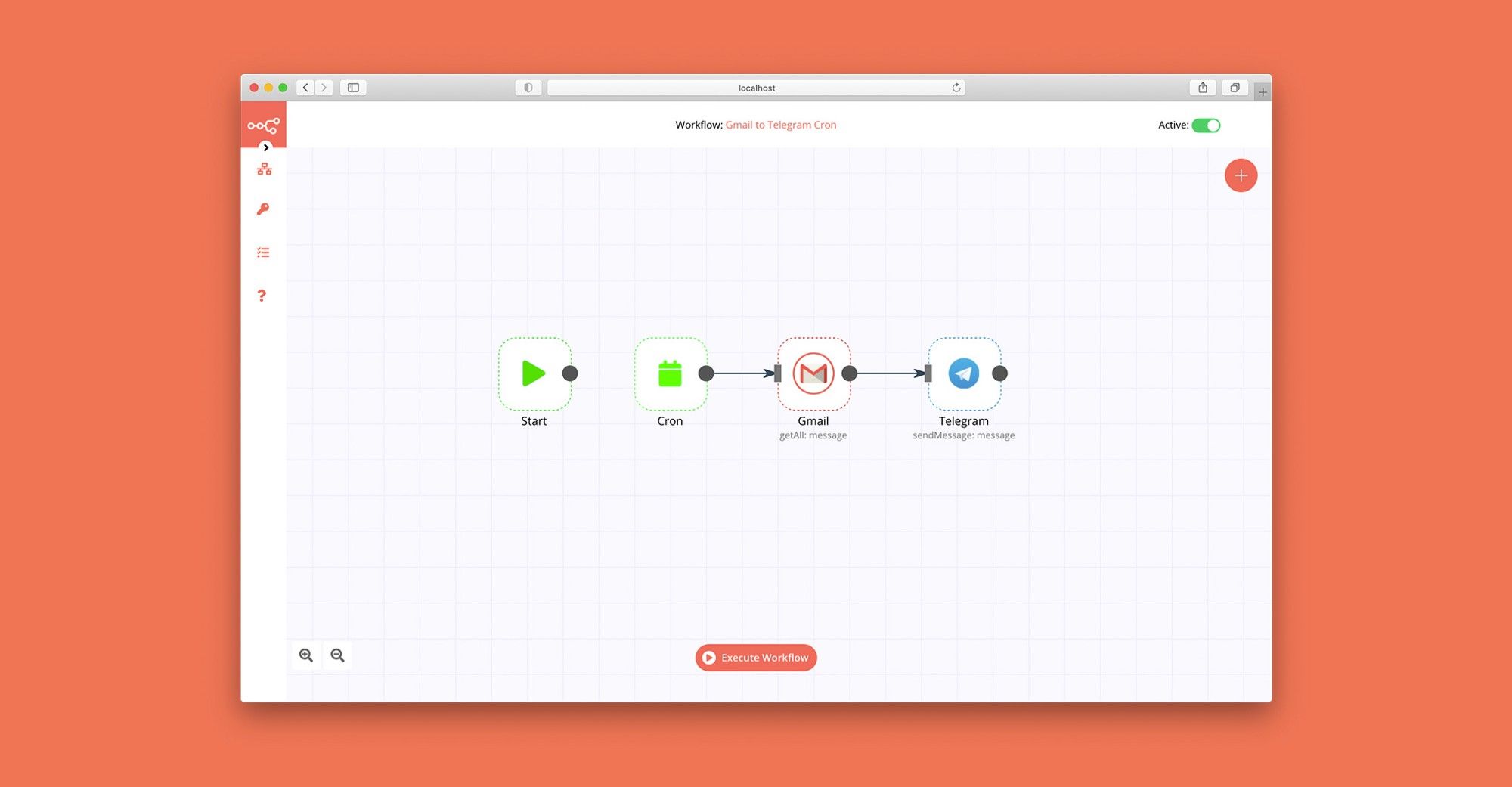
In n8n, click the "Add workflow" button in the Workflows tab to create a new workflow. Add the starting point – a trigger on when your workflow should run: an app event, a schedule, a webhook call, another workflow, an AI chat, or a manual trigger. Sometimes, the HTTP Request node might already serve as your starting point.

Gmail and Planyo Online Booking integration: Create a new workflow and add the first step

Deliver Paddle digital product purchases with signed links and Gmail

Quick overview Paddle fulfilment pipeline for n8n: signed webhook verification with a replay guard, exactly-once delivery in a Data Table, licence keys and 72-hour signed download links served by a second webhook, with alerts when a buyer email is missing. How it works Paddle posts transaction.completed to the payment webhook, which reads the raw request body, parses the Paddle-Signature header, enforces a five-minute replay window and maps the purchased price ID to the product table inside the node. An unknown price raises a Telegram alert instead of being silently ignored. The HMAC is recomputed with your webhook signing secret, held in a Crypto credential rather than a node field. A mismatch is answered with 401 and the forged request never reaches delivery. A rowNotExists gate on the transaction ID then makes delivery idempotent: retries and duplicate events are answered as duplicates instead of being delivered twice. A completed transaction carries no buyer email, so the customer entity is fetched from the Paddle API after the signature check. If the lookup fails or no email is present, the order is parked for manual handling and you are alerted. The happy path mints a licence key, signs a 72-hour download token, emails the buyer and logs the order in a Data Table. The second webhook recomputes the token HMAC, refuses expired or tampered links with 410 and 403, and only then serves the product file. Fetches the customer from the Paddle API to resolve the buyer email, and sends a Telegram alert and manual-review response if the email is missing. Generates a license key, signs a 72-hour download token, emails the buyer a formatted delivery message via Gmail, and upserts the delivered order details into the Data Table. Receives GET requests on a second webhook for downloads, validates the token expiry and HMAC signature, then reads the requested product file from disk and returns it as a binary download (or returns an error JSON if denied). Setup Create a Data Table for your orders with the columns txn_id, email, plan, amount, currency, license_key and delivered_at, then select it in both Data Table nodes. Add two Crypto credentials: your Paddle webhook signing secret for the webhook HMAC node, and a long random string for download links on the signing and verification nodes. Add an HTTP Header Auth credential holding your Paddle API key for the customer lookup node. Replace the placeholder price IDs and filenames in the product table, set your instance's public URL in the link builder, place the product files in the delivery folder, and point Paddle's notification destination at the production webhook URL. Add a Paddle API credential (HTTP Header Auth with Authorization: Bearer ) and a Gmail OAuth2 credential for sending the delivery email. Replace the placeholder Paddle price IDs and filenames in the product mapping, set your public n8n base URL and support email in the email template, and place your product files in the configured delivery folder path. Add a Telegram credential and set your chat ID if you want alerts for unknown prices and blocked fulfilment. Requirements A Paddle account with webhook notifications enabled, an n8n instance reachable over HTTPS (so the download links resolve), a Data Table for the order log, and a Gmail or SMTP credential for delivery mail. Customization Extend the product table with more price IDs, change the link lifetime in the token signing step, swap Gmail for SMTP or another provider, and replace the file reader with an S3 or Drive download if your products are not stored on the n8n host.

Popular ways to use the Gmail and Planyo Online Booking integration

Build your own Gmail and Planyo Online Booking integration

Create custom Gmail and Planyo Online Booking workflows by choosing triggers and actions. Nodes come with global operations and settings, as well as app-specific parameters that can be configured. You can also use the HTTP Request node to query data from any app or service with a REST API.

Gmail supported actions

Supported API Endpoints for Planyo Online Booking

To set up Planyo Online Booking integration, add the HTTP Request node to your workflow canvas and authenticate it using a generic authentication method. The HTTP Request node makes custom API calls to Planyo Online Booking to query the data you need using the API endpoint URLs you provide.

These API endpoints were generated using n8n

n8n AI workflow transforms web scraping into an intelligent, AI-powered knowledge extraction system that uses vector embeddings to semantically analyze, chunk, store, and retrieve the most relevant API documentation from web pages. Remember to check the Planyo Online Booking official documentation to get a full list of all API endpoints and verify the scraped ones!

Gmail and Planyo Online Booking integration details

Gmail

Gmail is a free of charge email service offered as part of Google Workspace. It is used by individuals and organizations to send and receive emails and communicate internally and externally. It remains the world’s most widely used email service.

Planyo Online Booking

Planyo-online-booking is a comprehensive reservation management system that provides businesses with a seamless online booking platform. It enables businesses to efficiently manage reservations, payments, and availability while offering customers a user-friendly and convenient way to book services or make appointments.

Other integrations with Gmail and Planyo Online Booking

FAQ about Gmail integrations

Need help setting up your Gmail and Planyo Online Booking integration?

Discover our latest community's recommendations and join the discussions about Gmail and Planyo Online Booking integration.

  • jake chard

    How do I remove n8n Email footer in Gmail node send message?

    jake chard

    Each email sent has “This email was sent automatically with n8n” in the footer or after the email. How do I remove this please?

    Open topic
  • Jan Koch

    Sending attachment via Gmail

    Jan Koch

    Describe the problem/error/question I am trying to send an email with an attachment using the Gmail node and get an error that I don’t understand. I am able to download that file from the original email and upload it to …

    Open topic
  • FawenYo

    Failed to send Gmail attachment

    FawenYo

    Describe the problem/error/question I’m trying to send an HTML file in the Gmail attachment, but it just raise an error. This question is similar to Sending attachment via Gmail , but I just couldn’t get it work …

    Open topic
  • Jean-Pierre GARNIER

    Gmail node subject text encoding issue

    Jean-Pierre GARNIER

    Describe the problem/error/question Hi, I’m facing an encoding problem while sending email with gmail node for every char with and accent (é,à,ô,î…). I noticed that this problem doesn’t occurs when i’m directly writing …

    Open topic
  • Anirudh Tugawe

    Update Google Sheets After sending Email

    Anirudh Tugawe

    Hi everyone, I’m working on a workflow where I’m using Google Sheets to get input data. I have a loop set up that correctly reads the data and processes it: it takes a Word document template, app…

    Open topic

Looking to integrate Slack and VirusTotal in your company?

Three colleagues talking around laptops at a shared desk

Trusted by teams building smarter workflows.

Why

Why use n8n to integrate Gmail with Planyo Online Booking

Handle branching, merging and iteration easily. Pause your workflow to wait for external events.

Re-run single steps to test changes in no time. And pin your data to avoid generating trigger events every time you execute.

Your data is displayed alongside your settings, making edge cases easy to track down.

Use 1000+ workflow templates available from our core team and our community.

Copy and paste, easily import and export workflows.

Simple enough to 
understand + sophisticated 
enough to ship

Man in a brown jacket working at his desk by a window