See llms.txt for all machine-readable content.

OpenAI and Redis integration

Save yourself the work of writing custom integrations for OpenAI and Redis and use n8n instead. Build adaptable and scalable AI, workflows that work with your technology stack. All within a building experience you will love.

How to connect OpenAI and Redis

Create a new workflow and add the first step

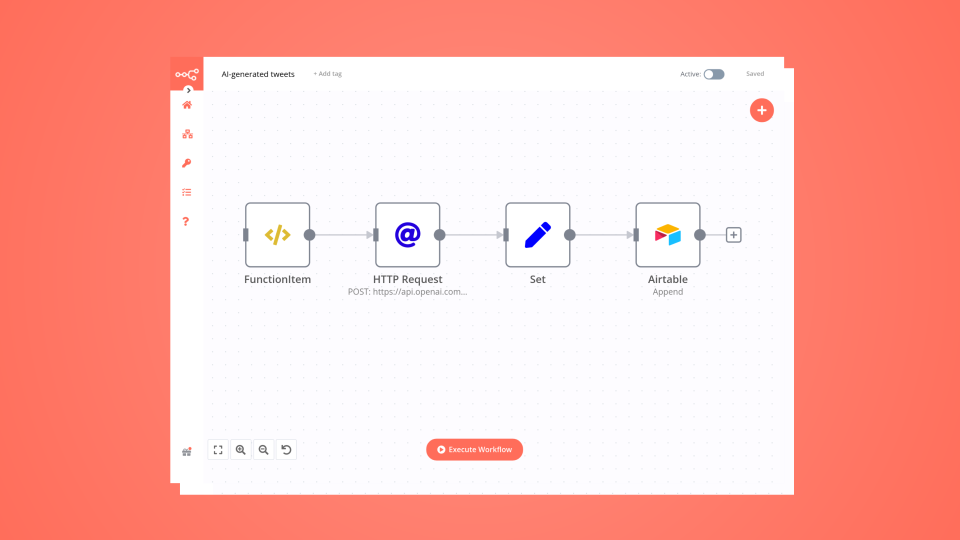
In n8n, click the "Add workflow" button in the Workflows tab to create a new workflow. Add the starting point – a trigger on when your workflow should run: an app event, a schedule, a webhook call, another workflow, an AI chat, or a manual trigger. Sometimes, the HTTP Request node might already serve as your starting point.

OpenAI and Redis integration: Create a new workflow and add the first step

Build a WhatsApp assistant for text, audio & images using GPT-4o & Evolution API

Build an intelligent WhatsApp assistant that automatically responds to customer messages using AI. This template uses the Evolution API community node for WhatsApp integration and OpenAI for natural language processing, with built-in conversation memory powered by Redis to maintain context across messages. > ⚠️ Self-hosted requirement: This workflow uses the Evolution API community node, which is only available on self-hosted n8n instances. It will not work on n8n Cloud. What this workflow does Receives incoming WhatsApp messages via Evolution API webhook Filters and processes text, audio, and image messages Transcribes audio messages using OpenAI Whisper Analyzes images using GPT-4 Vision Generates contextual responses with conversation memory Sends replies back through WhatsApp Who is this for? Businesses wanting to automate customer support on WhatsApp Teams needing 24/7 automated responses with AI Developers building multimodal chat assistants Companies looking to reduce response time on WhatsApp Setup instructions Evolution API: Install and configure Evolution API on your server. Create an instance and obtain your API key and instance name. Redis: Set up a Redis instance for conversation memory. You can use a local installation or a cloud service like Redis Cloud. OpenAI: Get your API key from platform.openai.com with access to GPT and Whisper models. Webhook: Configure your Evolution API instance to send webhooks to your n8n webhook URL. Customization options Modify the system prompt in the AI node to change the assistant's personality and responses Adjust the Redis TTL to control how long conversation history is retained Add additional message type handlers for documents, locations, or contacts Integrate with your CRM or database to personalize responses Credentials required Evolution API credentials (self-hosted) OpenAI API key Redis connection

Build your own OpenAI and Redis integration

Create custom OpenAI and Redis workflows by choosing triggers and actions. Nodes come with global operations and settings, as well as app-specific parameters that can be configured. You can also use the HTTP Request node to query data from any app or service with a REST API.

OpenAI supported actions

Redis supported actions

Delete

Delete a key from Redis

Get

Get the value of a key from Redis

Increment

Atomically increments a key by 1. Creates the key if it does not exist.

Info

Returns generic information about the Redis instance

Keys

Returns all the keys matching a pattern

List Length

Returns the length of a list

Pop

Pop data from a redis list

Publish

Publish message to redis channel

Push

Push data to a redis list

Set

Set the value of a key in redis

OpenAI and Redis integration details

OpenAI

OpenAI, the creator of ChatGPT, offers a range of powerful models including GPT-3, DALL·E, and Whisper. Leverage these models to build AI-powered workflows.

Redis

Redis is an open-source, advanced key-value store. It is often referred to as a data structure server. Its high performance makes it a favorite fast data store, cache, and even lightweight message broker.

Save engineering resources

Reduce time spent on customer integrations, engineer faster POCs, keep your customer-specific functionality separate from product all without having to code.

Learn more

FAQ about OpenAI integrations

Need help setting up your OpenAI and Redis integration?

Discover our latest community's recommendations and join the discussions about OpenAI and Redis integration.

  • Artem

    How to define AI-powered Extra Workflow Inputs in AI tools?

    Artem

    Describe the question I need to pass to the tool some data from the AI Agent. Like, “task name” and “task tags” to create a task via Custom Workflow Tool. So I don’t know what to refer to in the Extra Inputs. Because th…

    Open topic
  • sérgio eduardo floresta filho

    The prompt is not being executed

    sérgio eduardo floresta filho

    Hello! My goal is to use Google Forms to collect information from my clients and then use n8n to automate the processing of this information. My workflow involves: Collecting data through Google Forms. Using n8n to re…

    Open topic
  • Heisenbug

    How to handle multi-message prompts in OpenAI Chat node?

    Heisenbug

    Describe the problem/error/question I want to send multiple messages to the OpenAI Chat node (LangChain → LLM Prompt Template) in a single execution, simulating a conversation. The first message is fixed, and the followi…

    Open topic
  • Julien

    OpenAI node - How to use the new Endpoint?

    Julien

    Is it possible to choose the Responses API or OpenAI ? It has been updated a few months ago by OpenAI, but the node still seems to be using the old Completions API. [https://platform.openai.com/docs/guides/migrate-to-re…

    Open topic
  • Andrew adawdad

    OpenAI not receicving JSON data from previous node

    Andrew adawdad

    Describe the problem/error/question Im currently using the openAI node to send a text message to the system. I am sending the previous nodes JSON data, but the openai response says that im only sending {{ $json }} instea…

    Open topic

Looking to integrate Slack and VirusTotal in your company?

Three colleagues talking around laptops at a shared desk

Trusted by teams building smarter workflows.

Why

Why use n8n to integrate OpenAI with Redis

Handle branching, merging and iteration easily. Pause your workflow to wait for external events.

Re-run single steps to test changes in no time. And pin your data to avoid generating trigger events every time you execute.

Your data is displayed alongside your settings, making edge cases easy to track down.

Use 1000+ workflow templates available from our core team and our community.

Copy and paste, easily import and export workflows.

Simple enough to 
understand + sophisticated 
enough to ship

Man in a brown jacket working at his desk by a window