Back to Templates


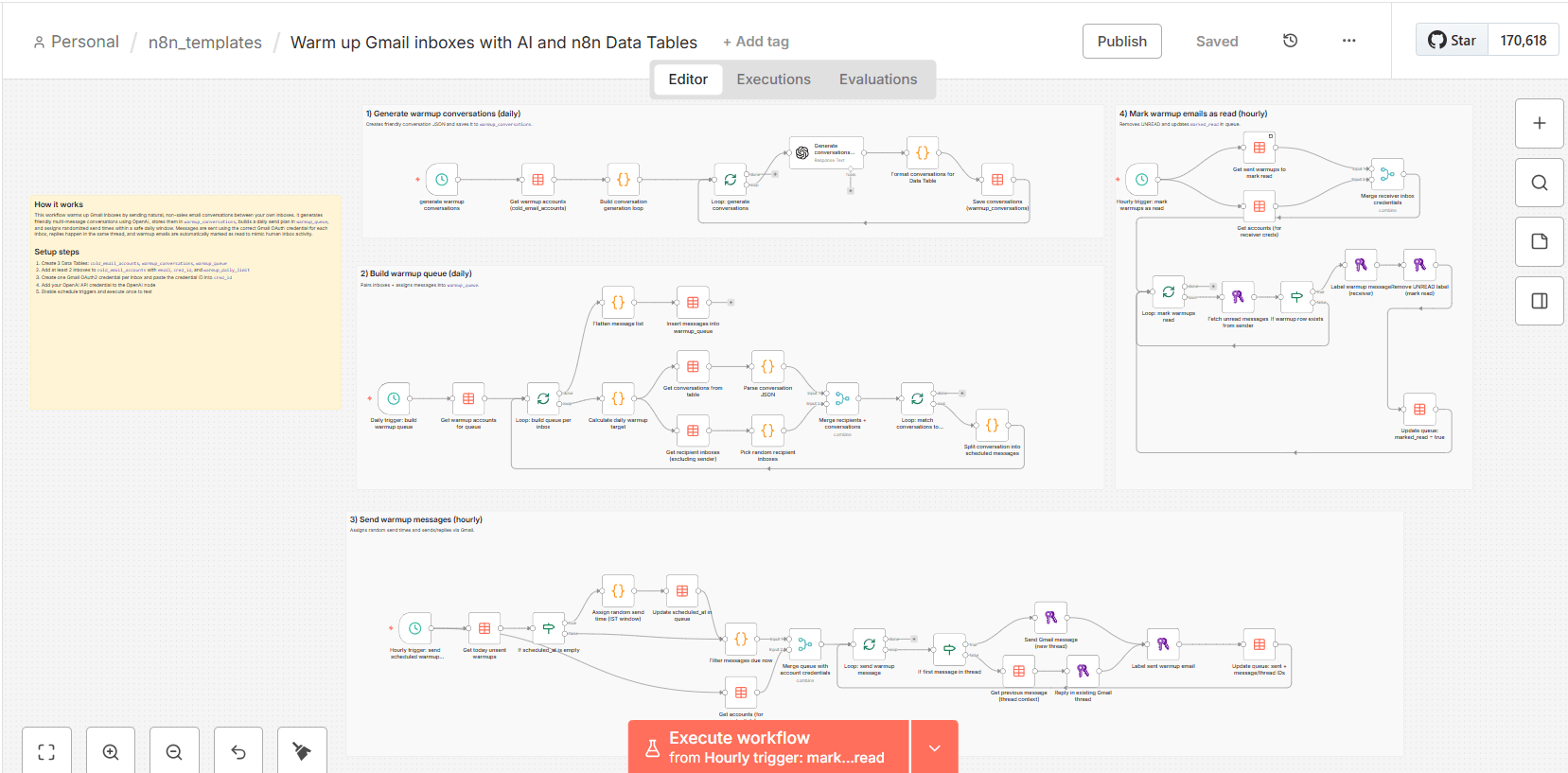
Automatically warm up multiple Gmail inboxes with human-like email conversations, smart scheduling, and auto read/reply, powered by n8n Data Tables.
Cold emails going to spam?
That’s usually an inbox reputation problem, not your copy.
This n8n workflow is a complete Email Warmup Engine that helps you warm up Gmail inboxes automatically by sending natural, human-like conversations between your inboxes, spacing them out across the day, and marking messages as read to simulate real inbox activity.
It includes:
- AI-generated natural conversations (2–3 messages)
- Multi-inbox warmup (sender ↔ receiver rotation)
- Smart daily volume ramp-up (safe warmup growth)
- Random send scheduling inside a time window
- Sends + replies like a real human thread
- Marks warmup emails as read automatically
- Powered entirely by n8n Data Tables (no external DB)
Perfect for founders, agencies, SDRs, and anyone running outbound.
What This Workflow Does (Bullets)
- Generates warmup conversations using OpenAI
- Stores conversations in a Data Table
- Creates a warmup queue for each inbox daily
- Assigns random scheduled timestamps (natural behavior)
- Sends and replies via Gmail
- Updates queue status as messages are sent
- Marks warmup emails as read automatically
Use Cases
- Warm up new inboxes before cold outreach
- Maintain inbox health for outbound operations
- Rotate and warm multiple sender accounts
- Avoid paying per-inbox warmup SaaS fees
Requirements
- n8n (Cloud or Self-hosted)
- Gmail accounts (2+ recommended)
- Gmail OAuth2 credentials (one per inbox)
- OpenAI API key
- n8n Data Tables enabled
- Data Tables Used
This template uses 3 n8n Data Tables:
-
cold_email_accounts
Stores warmup inboxes + credential IDs -
warmup_conversations
Stores AI-generated conversations -
warmup_queue
Stores scheduled warmup messages + status
Setup Instructions (Step-by-step)
- Import the Workflow
Import the template JSON into n8n
- Create Data Tables
Create these Data Tables:
- cold_email_accounts
- warmup_conversations
- warmup_queue
- Add Inbox Accounts
Add at least 2 inboxes into cold_email_accounts with:
email
cred_id (Gmail OAuth credential ID)
warmup_daily_limit (ex: 5)
- Connect Credentials
Create Gmail OAuth2 credentials in n8n for each inbox
Connect OpenAI credentials to the “Message a model” node
- Enable Schedule Triggers
Enable all Schedule Trigger nodes so it runs automatically:
conversation generation
queue generation
sender engine
marking read engine
Customization
You can tweak:
Daily warmup growth
warmup_daily_limit in cold_email_accounts table per inbox
Time window
schedule messages between fixed hours (natural sending)
Conversation style
edit the OpenAI system prompt to match your preferred tone
Notes / Best Practices
- Keep warmup volume safe (20–40/day max per inbox)
- Use 2+ inboxes to avoid self-sending
- Don’t mix cold outreach + warmup in the same workflow