See llms.txt for all machine-readable content.


🚀 Overview
Automatically monitors daily student attendance from CSV files, identifies absent students, sends parent email alerts via SMTP, calculates risk scores, and generates an interactive HTML dashboard — all on a weekday schedule with no manual work needed.
⚙️ How it works
- Schedule trigger — runs Monday–Friday at 17:30
- Data ingestion — reads
student_attendance.csvand filters to today's records only - Absence check — splits students into Absent / Present branches
- Contact merge — matches absent students with parent data from
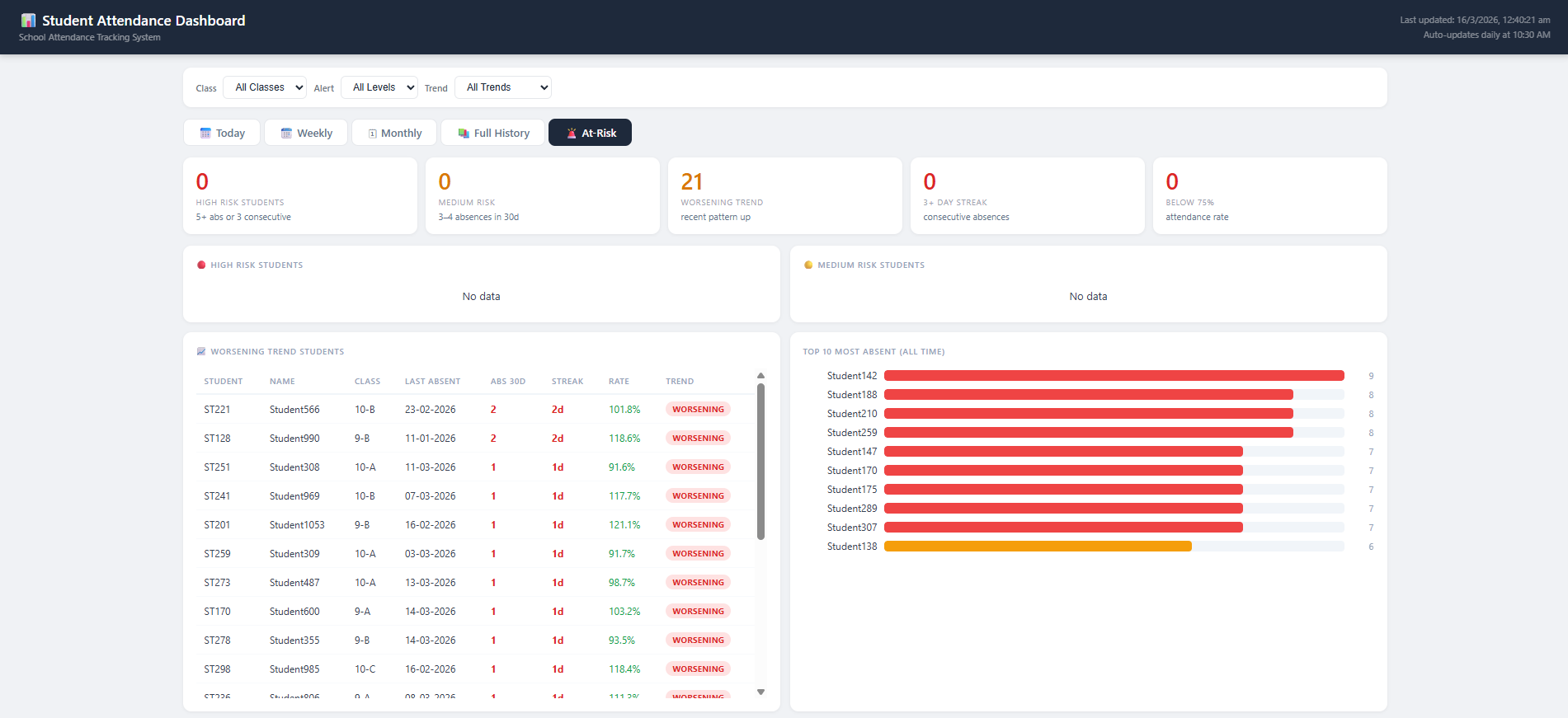
student_contacts.csv - Alert logic — calculates risk level, attendance %, consecutive streak, and trend (Improving / Stable / Worsening)
- Parent email — sends a colour-coded HTML alert via SMTP for each absent student
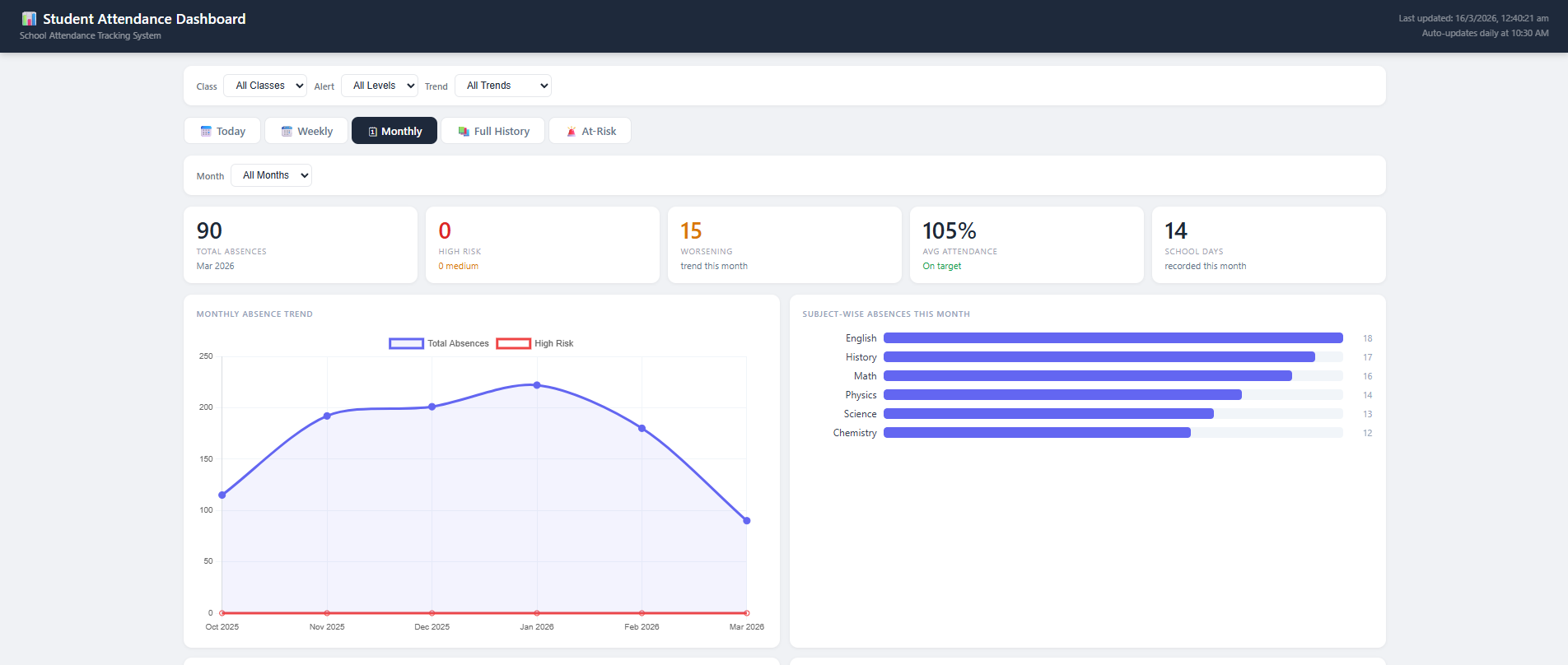
- Dashboard builder — generates
dashboard.htmlwith 5 tabs: Today, Weekly, Monthly, Full History, and At-Risk - Report update — appends records to
attendance_report.csvfor historical tracking
🛠 Setup steps
- Upload
student_attendance.csvto the n8n files folder - Upload
student_contacts.csvto the n8n files folder - Create an empty
attendance_report.csvin the n8n files folder - Add
smtp_userin Settings → Variables - Configure SMTP credentials in the Send Email node
- Adjust the cron schedule if needed (default: 17:30 Mon–Fri)
🔧 Required CSV formats
student_attendance.csv
| StudentID | Date | Status | Class | Subject | Teacher |
|---|---|---|---|---|---|
| S101 | 12-01-2026 | Absent | Grade 6 | Math | Mr Singh |
student_contacts.csv
| StudentID | ParentName | Phone | |
|---|---|---|---|
| S101 | Anita Kumar | parent@email.com | +919999999999 |
📊 Dashboard Preview