See llms.txt for all machine-readable content.



Quick overview
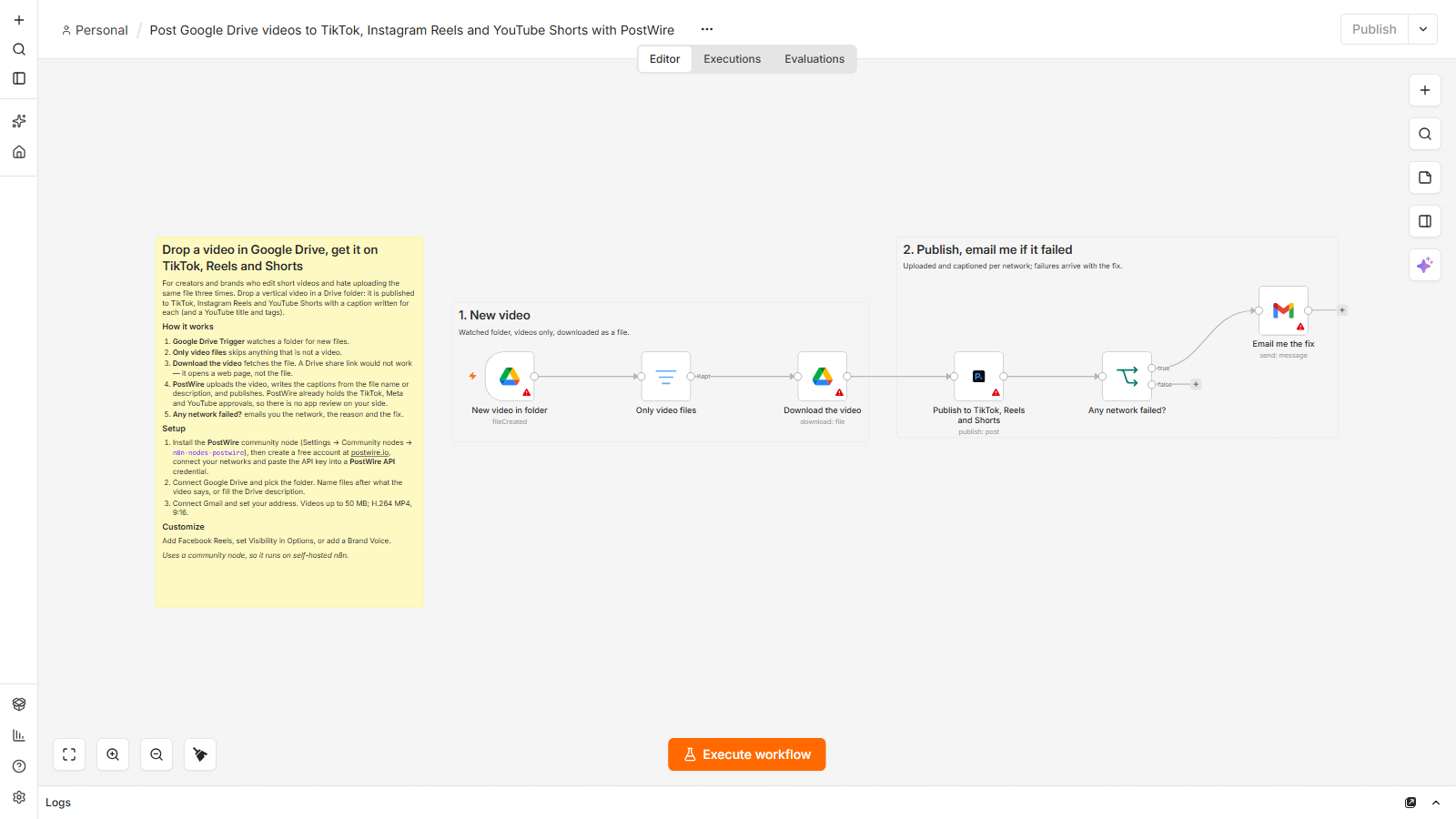
For creators and brands who edit short videos and hate uploading the same file three times.
How it works
- Google Drive Trigger watches a folder for new files.
- Only video files skips anything that is not a video.
- Download the video fetches the file. A Drive share link would not work — it opens a web page, not the file.
- PostWire uploads the video, writes the captions from the file name or description, and publishes. PostWire already holds the TikTok, Meta and YouTube approvals, so there is no app review on your side.
- Any network failed? emails you the network, the reason and the fix.
Setup
- Install the PostWire community node (Settings → Community nodes →
n8n-nodes-postwire), then create a free account at postwire.io, connect your networks and paste the API key into a PostWire API credential. - Connect Google Drive and pick the folder. Name files after what the video says, or fill the Drive description.
- Connect Gmail and set your address. Videos up to 50 MB; H.264 MP4, 9:16.
Requirements
- A PostWire account — the free plan covers one brand with all its networks and 30 posts a month, no card
- Self-hosted n8n with the community node
n8n-nodes-postwireinstalled (Settings → Community nodes) - A Google Drive account
- A Gmail account
Customization
- Add Facebook Reels, set Visibility in Options, or add a Brand Voice.
Additional info
Drop a vertical video in a Drive folder: it is published to TikTok, Instagram Reels and YouTube Shorts with a caption written for each (and a YouTube title and tags).
This template uses the PostWire community node, so it runs on self-hosted n8n. PostWire writes a different post for each network from one idea and holds the TikTok, Meta and YouTube publishing approvals, so connecting an account is one OAuth click.