See llms.txt for all machine-readable content.
Back to integrations
Integrate Jira Software with 1000+ apps and services
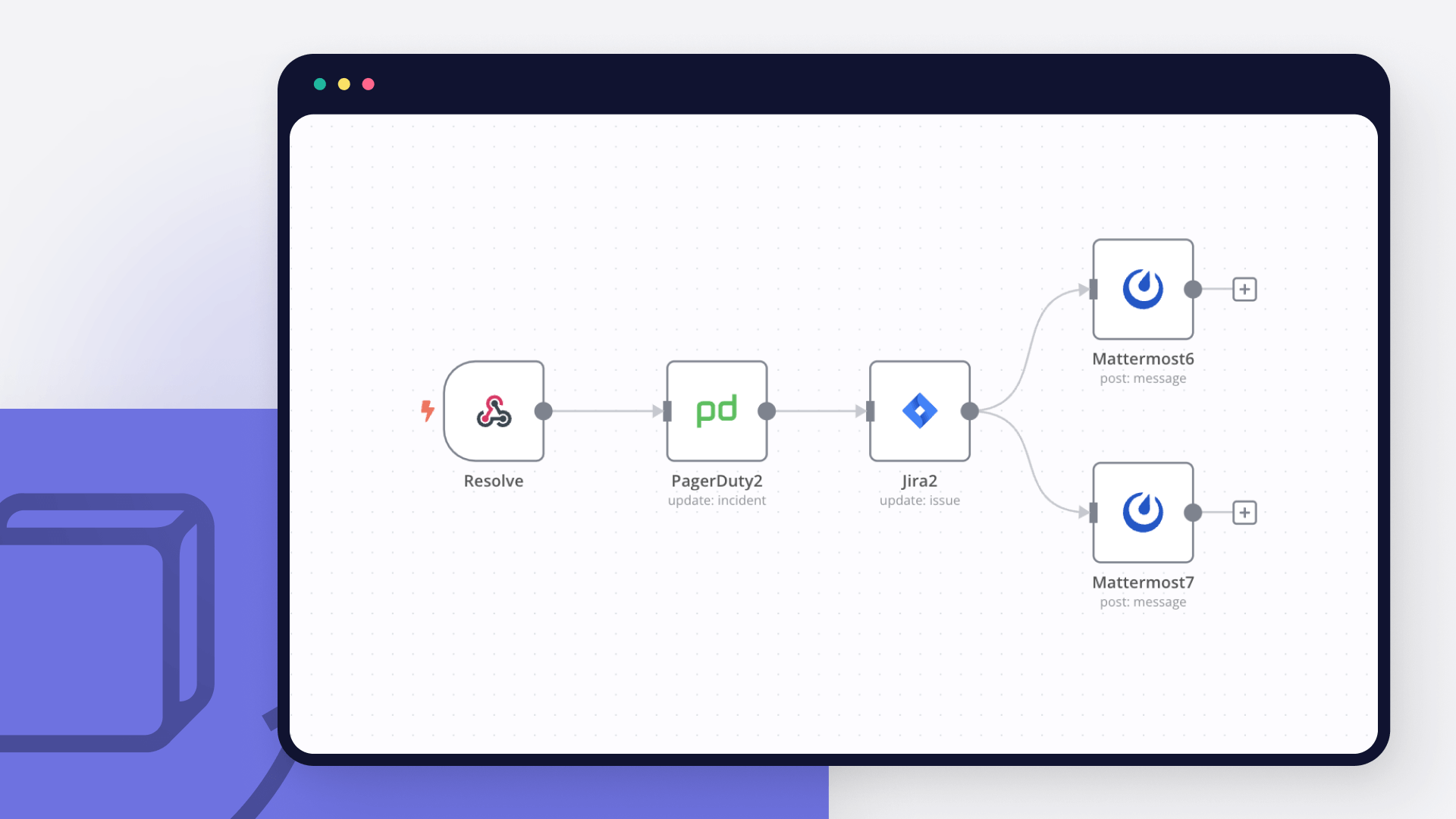
Unlock Jira Software’s full potential with n8n, connecting it to similar Development apps and over 1000 other services. Automate productivity workflows by scheduling tasks, managing project timelines, and tracking progress across platforms. Create adaptable and scalable workflows between Jira Software and your stack. All within a building experience you will love.


Create workflows with Jira Software integrations
0 integrations
Sort: Popularity

Slack

Google Sheets

Postgres

MySQL

Telegram

Microsoft Outlook

Google Calendar

Redis

Google Workspace Admin

HTTP Request

Gmail

OpenAI

Airtable

Google Drive

Microsoft Excel 365

Notion

Supabase

Discord

GitHub

MongoDB

Microsoft SQL

OpenWeatherMap

GraphQL

HubSpot

X (Formerly Twitter)

Mautic

Baserow

Pushover

SendGrid

ClickUp

Trello

AWS S3

Twilio

Todoist

Pipedrive

Nextcloud

Mattermost

Facebook Graph API

WooCommerce

NocoDB

Google Docs

S3

Spotify

ActiveCampaign

MQTT

Home Assistant

WhatsApp Business Cloud

Google Contacts

YouTube

RabbitMQ

RocketChat

TheHive

Salesforce

Microsoft Teams

Mailgun

Matrix

Dropbox

Google Cloud Firestore


Mailchimp

Asana

Wordpress

Gotify

Mailjet

Elasticsearch

Google BigQuery

Stripe

Microsoft OneDrive

Monday.com

CoinGecko

Zendesk

APITemplate.io

AWS Lambda

Shopify

Line

Kafka

NASA

GitLab

Brevo

Customer Datastore (n8n training)

Microsoft To Do

Pushbullet


AWS SES

Webflow

Odoo

SeaTable

Phantombuster

Bubble

Google Tasks

AWS DynamoDB

DeepL

Google Analytics

Coda

Zoho CRM

Google Translate

Google Chat

Clockify

Raindrop

Zoom

Snowflake

Cortex

Grist

Dropcontact

Lemlist

Strapi

Bitly

ERPNext

Google Slides

Yourls

Wise

Philips Hue

Xero

AWS SNS

Freshdesk

UptimeRobot

One Simple API

Zulip

Ghost

Pushcut

Wekan

QuickBooks Online

Customer.io

Zammad

Metabase

Jenkins

PagerDuty

urlscan.io

Customer Messenger (n8n training)

Hacker News

MailerLite

Linear

FileMaker

seven

Sendy

Harvest

Taiga

Mandrill

Mindee

AWS SQS

Keap

Google Cloud Realtime Database

Grafana

Onfleet

Medium

Strava

Discourse

Bannerbear

Box

ConvertKit

Magento 2

HighLevel

Invoice Ninja

Google Cloud Natural Language

ServiceNow

Help Scout

uProc

AWS Transcribe

MessageBird

TimescaleDB

Segment

QuestDB

Sentry.io

Splunk

AWS Textract

BambooHR

Intercom

Google Cloud Storage

Vonage

Plivo

PostBin

Clearbit

Rundeck

Adalo

AWS Comprehend

Google Perspective

SIGNL4

Paddle

Quick Base

Peekalink

Webex by Cisco

Freshservice

DHL

Cockpit

Contentful

AWS Rekognition

Oura

Marketstack

Monica CRM

HaloPSA

Google Ads

Autopilot

Kitemaker

Freshworks CRM

MISP

MSG91

Hunter

Agile CRM

Orbit

E-goi

Beeminder

Emelia

Action Network

Microsoft Graph Security

Chargebee

AMQP Sender

PayPal

Affinity

CrateDB

Automizy

LingvaNex

PostHog

Bitwarden

KoBoToolbox

Disqus

Salesmate

Mocean

Google Books

ProfitWell

Iterable

Twist

SecurityScorecard

Demio

GoToWebinar

Microsoft Dynamics CRM

SyncroMSP

AWS Certificate Manager

Venafi TLS Protect Cloud

CircleCI

GetResponse

Humantic AI

Spontit

Tapfiliate

Stackby

Elastic Security

Netlify

AWS ELB

Cloudflare

Venafi TLS Protect Datacenter

Flow

Vero

Uplead

Drift

TravisCI

Twake

Unleashed Software

Storyblok

OpenThesaurus

Brandfetch

Copper

Mailcheck

Netscaler ADC

QuickChart

Ldap

Npm

LoneScale

crowd.dev

TheHive 5

JWT

Google Gemini Chat Model

Okta

Gong

Google Business Profile

Microsoft Entra ID

DeepSeek Chat Model

Airtop

Azure Storage

Azure Cosmos DB

AWS Cognito

Jina AI

AWS IAM

Microsoft SharePoint

Perplexity

Mistral AI

Oracle Database

Currents
Check Credential Status

Databricks

YepCode

Apify

Autobound

awork

Oxylabs AI Studio

Cloudinary

Outscraper

PDFMonkey

TriggerCMD

AssemblyAI

Greip

Airparser

Caspio

ChartMogul

Lusha

HeyGen

ScreenshotOne

Reply

Cradl AI

Pulsetic

Browserless

WebinarJam

SurveySparrow

ClickSend SMS

RD Station CRM

Zoho WorkDrive

Spike

BugReplay

Imperva WAF

MIST

Sekoia

Miro

LeadBoxer

F5 Big-IP

Hybrid Analysis

Mem

Trellix ePO

OpenCTI

Formstack Documents

IdealSpot

Auth0 Management API

Laposta

Microsoft Azure Monitor

Synthesia

SMS Magic

Totango

Myphoner

Radar

Big Data Cloud

Studio by AI21 Labs

Docparser

Gumroad

Foursquare

Sifter

Snipcart

Team Up

Planyo Online Booking

Botbaba

Blockchain Exchange

iAuditor by SafetyCulture

Kanban Tool

Float

Reply.io

Mailmodo

Ritekit

Ably

Product Hunt

Missive

DarkSky API

Marketplacer

ecwid

GoDaddy

Handwrytten

Mixpanel

Confluence

SuiteDash

Nozbe Teams

Formdesk

Workast

Canvas

Landbot

Klaviyo

Order Desk

Survicate

CleverReach

VivifyScrum

Helcim

Nusii Proposals

Spondyr

Unisender

Papyrs

Snapdocs


ChargeOver

Verifalia

Chatrace

Tilda

ApiFlash

Daffy

Imgur

Alchemy

Crisp

AdRoll

Bitrix24

Mav

Gender API

Zoho Desk

Gitea

ShipStation

Occasion

Docupilot

Headless Testing

RAWG Video Games Database

Linkish

Let's Enhance

Benchmark Email

SSLMate — Cert Spotter API

Hugging Face

WuBook RateChecker

Bandwidth

Project Bubble (ProProfs Project)

Accredible

TinyURL

Simplero

Gatekeeper

Smaily

Giphy

Miestro

ScrapeNinja

BunnyCDN

Fluent Support

Harry Potter API

Trengo

SportsData

Dokan

Karbon

Amilia

Tisane Labs

SimpleHash

Linode

Active Trail

Launch27

Teamgate

Writesonic

UpKeep

Instabot

Nightfall.ai

Datarobot

InfluxDB Cloud

Botstar

WOXO

IdealPostcodes

ConvertAPI

Teamdeck

Zoho Books

Gravity Forms

Brex

ReCharge

Google Cloud

Mux

Metatext.AI Inference API

Mx Toolbox

Klazify

Supportivekoala

Thankster

Short.io
LaGrowthMachine

WebScraper.IO

Mailify

Cloudlayer

Guru

GoCanvas

Dock Certs

DeTrack

Free Dictionary

quentn

DaySchedule

Accelo

Yodiz

ShipHero

Ortto

3Scribe

Pipefy

Crowdin

Gupshup

7todos

Badger Maps

TD Ameritrade

WatchSignals

ISN

Corsizio

Mastodon

Forms On Fire

Accuranker

Rewardful

Amazon

Plecto

SimpleTexting

Deepgram

LIME Go

SimpleKPI

Formsite

TurboHire

TalentLMS

Capsule

Envoy

Pirate Weather

Platform.ly

Textgain

Salesmsg

Mews

LiveAgent

College Football Data

Acquire

KnowBe4

Cloze

PaperForm

Kaggle

Switchboard

Zonka Feedback

MoonClerk

Copy.ai

Qualaroo

Unbounce

HUB Planner

Sales Simplify

Signaturit

Mailersend

DocsBot AI

Omniconvert

GetScreenshot

Focuster

Esendex

Databox

Sierra Interactive

Breezy HR

Relink - URL Shortener

Thrivecart

Easyship

HeySummit

AirNow

Planview Leankit

Faros

MoonMail

SMS-IT

SwagUp

Microsoft Teams Admin

imgbb

Datumbox

SmartReach

Cisco Webex

Freshping

Chargify

Pivotal Tracker

Fitbit

Marketing Master IO

Workboard

Firmao

SnatchBot

DigiCert

Sitecreator.io

CalendarHero

Airbrake

Pusher

Seamless AI

Read AI

Grain

Descript

Fathom

Google AI Studio (Gemini)

TrackVia

Supernormal

Personal AI

Dante AI

Relevance AI

TalkNotes

Kraftful

Wonderchat

Voicit

Enterpret

AccurAI

CustomerIQ

Google Vertex AI

Botsonic

Superpowered

Blaze

Vowel

Sembly AI

Chatsonic

Predis.ai

My AskAI

echowin

FastBots

The Leap

Nyota

Alphamoon

EmbedAI

Wondercraft

DialZara

Gali

ParsePrompt

Nyckel

Brandblast

Brain Pod AI

Droxy

OmniMind

Botifier

Teachable

Formcarry

ThoughtfulGPT

RoboResponseAI

DocuWriter

Faraday

GPTea

Teknoir

CraftDraft

Convi

Simpleem

RealPhoneValidation

Nuclia

Empsing

Sharly AI

Cloozo

Diddo AI

Knack

Maverick

Google Tables

WizyChat

Salesmaa

bot9

Ninox

AITable.ai

Trevor.io

On2Air

Fusioo

Marcom Robot

InfoLobby

Autom

TiDB Cloud

Clarifai

Vimeo

Pitchly

Solve Data

Sales.Rocks

ApptiveGrid

Passcreator

IndustrySelect

Grid

Persio

IP2Location

LaunchDarkly

HasData

BugHerd

Keygen

Bugpilot

Data Soap

Ipregistry

Gleap

Localazy

ZenRows

TestMonitor

BigML

Lighthouse

BugBug

Ybug

Bugfender

Lokalise

Transifex

Kadoa

Venly

Cryptolens

Alerty

Rootly

KEYZY

BrowserStack

LambdaTest

Chekhub

NMKR

Flotiq

Evolphin Zoom

Impira

Tuulio

Relysia

Robolytix

Starton

Diffy

Lucidchart

Phrase

Flagship

Dasha

Toket

CloudBoost

Cloud 66

LoginRadius

Jasper

OffAlerts

CloudShare

Luciq (formerly Instabug)

BLOOCK

Cronly

DevCycle

Rollbar

Tierion

Engati

ncScale

TextMagic

BugShot

AbuselPDB

Sellix

Evervault

Reverse Contact

TextKit

Growbots

Claude

AltText.ai

PromptHub

IntakeQ

Jama

Adobe

Apiary

Codefresh

Buildkite

TextCortex AI

Prospe AI

The Customer Factor

Timetonic

Clappia

elmah.io

Code Climate

Domo

PractiTest

Botium Box

Qualys

Leadpops

Invoiced

Raven Tools

OPN (formerly Omise)

Nanonets OCR

Recorded Future

Better Proposals

Patreon

CrowdStrike

Shuffler

Datadog

Filescan

Iris Dfir

Malcore
Zabbix

Roboflow

Search And Save

Whal3s

Samsung SmartThings

Syncly

Redash

Microsoft Entra ID (Azure Active Directory)

VirusTotal
Dynatrace

Rapid7 InsightVM

Big Cartel

Abstract

CrowdPower

BrandMentions

Chatbase

Calendly

Chaindesk

Waveline Extract

Draftable

Google Forms

Confluent

Chatling

OCRSpace

Cody

SignRequest

Enormail

IPInfo

Microsoft Dynamics 365 Business Central API

Morph

Pinboard

Paymo

Passslot

Route4Me

Prodia

QuintaDB

Specter

Spydra

SmartSuite

Statuscake

FullContact

AnnounceKit

UserVoice

Token Metrics

WhatConverts

Woodpecker.co

SiteSpeakAI

Stammer.ai

Xtractly

Hansei

ChatMasters

Libraria

Retable

Omeda

SimpleLocalize

Ycode

Pinata

Crossmint

Ideta

Tuskr

One AI

ConfigCat

UptimeToolbox

ParseHub

AlienVault

Carbon Black

Cisco Umbrella

QRadar

Kibana

ZScaler ZIA

Cisco Secure Endpoint

Cisco Meraki

Fortinet FortiGate

Browse AI
Documentation
Popular ways to use the Jira Software integration
Automate customer support issue resolution using AI text classifier
Create a new issue in Jira
Automate support ticket triage and resolution with JIRA and AI
Analyze & sort suspicious email contents with ChatGPT
Generate lessons learned reports from Jira epics with AI and Google Docs
Monitor security advisories
Automate Figma versioning and Jira updates with n8n webhook integration
Analyze CrowdStrike detections - Search for IOCs in VirusTotal - Create a ticket in Jira, and post a message in Slack
AI-powered email to Jira ticket creation with Llama 3.2
Analyze suspicious email contents with ChatGPT Vision
Automatically create JIRA issues from Outlook email support requests
Manage custom incident response in PagerDuty and Jira
Create unique Jira tickets from Splunk alerts
Automate employee onboarding with Slack, Jira, and Google Workspace integration
Incident response workflow - Part 3
Notify user in Slack of quarantined email and create Jira ticket if opened
Auto-assign support tickets with JIRA, Supabase and AI
Sync Zendesk tickets with subsequent comments to Jira issues
Automate IT support: Convert emails to Jira tickets with AI resolution
Daily Jira ticket summarizer using GPT-5 and Jira API
Automate GitHub, JIRA release notes with Google Gemini & notification over email
Automate code reviews for GitLab MRs with Gemini AI and JIRA context
Provision new employee accounts to Google Workspace, Slack, Jira, and Salesforce
AI-powered support automation with Outlook, OpenAI & JIRA ticketing
Auto-resolve Jira tickets with GitHub Copilot using Port Context
Automate B2B SaaS renewal risk management with CRM, support & usage data
Automate incident response with Jira, Slack, Google Sheets & Drive
Automate IT support with Telegram voice to JIRA tickets using Whisper & GPT-4.1 Mini
Automated sprint reports from Jira to stakeholders via Gmail
Automate GitHub PRs & JIRA updates from Git commit commands-single repo
Onboard employees from Google Forms with Slack, Jira, and GitHub access
Turn new Jira tickets into CloudCLI AI coding sessions with Claude Code
Error log monitor with SSH, Slack alerts & Jira ticket creation
Auto-sort support emails with OpenAI and route to Teams with Jira integration
Generate continuous PRD updates in Google Docs from Slack, Zoom, Jira, Zendesk, Figma and analytics using OpenAI
Automatically assign Jira Service Management reporter from forwarded emails
Jira ticket creation from Google Forms with sheet updates and email notifications
Automate feature request collection & analysis from reviews to Jira with AI
Automated Slack-to-Jira issue creation with attachments
Automate agile project setup with GPT-5 Mini, Jira & form interface
Auto-create GitHub PRs & JIRA updates from git commit commands (multi-repo)
Task escalation system with Google Sheets, Gmail, Telegram & Jira automation
Review Jira ticket quality with OpenRouter GPT and coaching comments
Generate daily Jira summaries & weekly reports with Azure OpenAI and Gmail
Automate support ticket classification & routing from HubSpot to Jira with GPT
Monitor and report OKR variance from Monday.com and Jira via Slack and Email
Automated Jira ticket responses with GPT-4 and Pinecone knowledge base
Enforce pre-release compliance with Jira, Monday.com, and Slack alerts
Real-time error detection with Slack alerts and Jira ticket creation for production
GitHub to Jira bug sync with GPT-4o analysis & team alerts
Monitor data quality with Notion rules, SQL checks & AI-powered alerts
Create knowledge base from Jira tickets with OpenAI embeddings and Pinecone
Monitoring team capacity in Jira and sending alerts for over-allocation
Automate lead processing from landing pages with Zoho CRM, Jira & Slack
Automate Jira backlog hygiene and reporting with Slack, Gmail and GPT-4
Track Jira epic health with automated risk alerts via Slack, Monday & Sheets
Automate Incident Management with PagerDuty, Port AI, Jira & Slack
Automate change request approvals with Monday.com, Jira, Slack & Google Sheets
Automate vulnerability triage from Snyk with Jira, Slack & Airtable integration
Automated failed login detection with Jira tasks, Slack alerts & Notion logging
Detect unused Android feature flags with GitLab, LaunchDarkly, Jira & Slack
Multi-channel feedback to Jira pipeline with AI analysis & Notion reporting
Orchestrate security vulnerability remediation with Port, OpenAI, Jira and Slack
Dependency update risk analysis with GPT-4o, Slack, Jira & Google Sheets
Analyze customer feedback with Azure GPT-4, Jira tasks & Outlook reports from Monday.com
Monitor brand reputation crises with Twitter/X, Reddit, News API, Slack and Jira
Customer feedback automation with sentiment analysis using GPT-4.1, Jira & Slack
Sync Monday.com items to Jira with smart duplicate detection & feedback loop
Automate ETL error monitoring with AI classification, Sheets logging & Jira alerts
Turn meeting recordings into Jira, ClickUp, and Linear tasks with Whisper and Claude
Triage product UAT feedback with OpenAI, Jira, Slack, Notion and Google Sheets
Triage and escalate HubSpot tickets to Jira with Slack SLA alerts
AI-powered bug triage system with OpenAI, Jira and Slack alerts
Notify customers of resolved Jira bugs with Gmail, HubSpot, Slack and Sheets
Real-time IoT incident management with Jira & Slack technician alerts
Generate AI videos from prompts with Seedance, Jira, Slack, and Gmail
Triage Microsoft 365 incidents into Jira with GPT-4o-mini, PagerDuty and Teams
Monitor Cloudflare incidents and alert via Slack, Telegram, and Jira
Auto-generate developer invoices & compliance reminders with Jira and Gmail
Automate cross-project dependency tracking between Jira and Monday
Send pre-meeting Slack briefings using Google Calendar, Notion, GitHub, and Jira
Automate change request workflow: Monday.com to Jira with Slack & Sheets
Route Jira tasks to experts using Google Sheets and GPT-4o-mini
Turn support tickets into developer insights with OpenAI, Postgres, Slack and Jira
Monitor futures trades and send risk alerts using Binance, Sheets, Slack and email
Analyze vendor security risk from Jira tickets using Grok, Claude and Slack
Process social media leads with GPT-4.1 summaries, Google Sheets, Jira & Slack
Generate AI camera moves with Seedance and build a previs review board
Generate multi-pass Seedance AI roto mattes with QC and Nuke handoff
Escalate product UAT critical bugs with OpenAI, Jira and Slack
Generate AI matte painting video variations with Seedance for VFX review
Automated product price tracking with ScrapeGraphAI, Slack alerts and Jira tickets
Generate style-locked Seedance videos with an automated QC pipeline
Assign unassigned Jira issues with Airtable and OpenRouter Grok
Classify and convert GitHub issues to Jira tickets with OpenAI
Onboard new hires with GPT-4, Notion, Jira, Google Drive, Gmail and Slack
Send weekly Jira sprint reports via Gmail, PDF, Markdown and PostgreSQL
Convert DevOps Mattermost requests into Jira tasks with OpenRouter GPT and Gemini
Automate GitLab tag releases to Jira and Slack for Dev and QA
Handle failed payment renewals with AI analysis, Jira tickets and Slack alerts
Orchestrate employee onboarding with Google Sheets, Drive, Jira, Gmail, and Slack
Aggregate error alerts and send consolidated reports via Email and Jira
Detect and remediate leaked secret on repo with GitHub, AWS, Jira, Slack, Claude
Send weekly low‑stock alerts from WooCommerce to Slack and Jira
Escalate overdue and blocked Jira tickets with Gmail and Google Chat
Analyze support screenshots with UploadToURL, GPT-4o Vision, Zendesk, and Jira
Monitor partner API usage with Slack, Jira and Gmail alerts
Detect cloud cost spikes with Google Sheets, Slack, Gmail, and Jira
Real-time uptime alerts to Jira with smart Slack on-call routing
Summarize Slack threads into Jira tickets with OpenRouter and Slack approval
Triage and resolve stale Jira tickets with OpenAI, Notion, and Slack
Triage and retry failed workflow executions with Anthropic, Jira and OpenTelemetry
Classify sentiment of incoming text using Hugging Face, Google Sheets, and Jira
Triage security vulnerability alerts with NVD, Gemini, Supabase, and Jira
Classify workflow errors with Claude and deduplicate Jira and Slack alerts
Log Airtable worklogs to Tempo with Jira and Slack notifications
Monitor SSL certificate expiry with Google Sheets, Slack, Gmail and Jira
Triage DevOps incidents from Slack with GPT-4.1, Prometheus, Jira and Terraform
Triage museum microclimate excursions with OpenAI, Jira, Slack, and Google Drive
Triage and route support tickets with Gemini, Jira, Slack, and Gmail
Triage invoice disputes from Gmail with OpenAI and Jira
Summarize meeting transcripts with GPT-4o, Jira, Notion, Slack, and Sheets
Supported actions
Changelog
Get issue changelog
Create
Create a new issue
Delete
Delete an issue
Get
Get an issue
Get Many
Get many issues
Notify
Create an email notification for an issue and add it to the mail queue
Status
Return either all transitions or a transition that can be performed by the user on an issue, based on the issue's status
Update
Update an issue
Add
Add attachment to issue
Get
Get an attachment
Get Many
Get many attachments
Remove
Remove an attachment
Add
Add comment to issue
Get
Get a comment
Get Many
Get many comments
Remove
Remove a comment
Update
Update a comment
Create
Create a new user
Delete
Delete a user
Get
Retrieve a user
About Jira Software
Jira is a unique project management tool for software developers that started as an issue tracking platform. Jira Software offers the same features of Jira Core, and also includes additional Agile functionalities.
Related categories

AI agents and workflows for technical teams at


FAQs
FAQ about Jira Software integrations
To use Jira Software integration in n8n, start by adding the Jira Software node to your workflow. You'll need to authenticate your Jira Software account using supported authentication methods. Once connected, you can choose from the list of supported actions or make custom API calls via the HTTP Request node, for example: you can then configure the parameters for your chosen actions, such as creating issues, updating issues, or querying projects. Make sure to test your integration to ensure everything is functioning as expected. Finally, save your workflow and monitor its execution.
Yes, you will typically need an API key, token, or similar credentials to add Jira Software integration to n8n. These can usually be found in your account settings for the service. Ensure that your credentials have the necessary permissions to access and manage the data or actions you want to automate within your workflows.
Definitely! n8n enables you to create workflows that combine Jira Software with other apps and services. For instance, you can automate tasks such as creating Jira issues when a new entry is added in another application or updating records based on Jira activity. This flexibility allows you to enhance productivity and streamline processes across various platforms. Just explore the available nodes in n8n to get started!
Common use cases for Jira Software automation include automating issue creation from forms or other applications, syncing Jira issues with external project management tools, and sending notifications to team members based on issue updates. Additionally, you can use n8n to streamline workflows by combining data from various sources and updating related tasks in Jira automatically. These integrations help improve efficiency and collaboration within teams. With n8n, you can customize these workflows to fit your specific needs and extend them by adding other 400+ integrations or incorporating advanced AI logic.
n8n’s pricing model is designed to be both affordable and scalable, which is particularly beneficial when integrating with Jira Software. Unlike other platforms that charge per operation or task, n8n charges only for full workflow executions. This means you can create complex workflows with Jira Software, involving thousands of tasks or steps, without worrying about escalating costs. For example, if your Jira Software workflows perform around 100k tasks, you could be paying $500+/month on other platforms, but with n8n's pro plan, you start at around $50. This approach allows you to scale your Jira Software integrations efficiently while maintaining predictable costs.